Keep building. Bring the research with you.
Run evidenso usability testing inside Codex or Claude through MCP. Start a test, follow the session and use the feedback in the same conversation where you build.
Get startedSee how to connect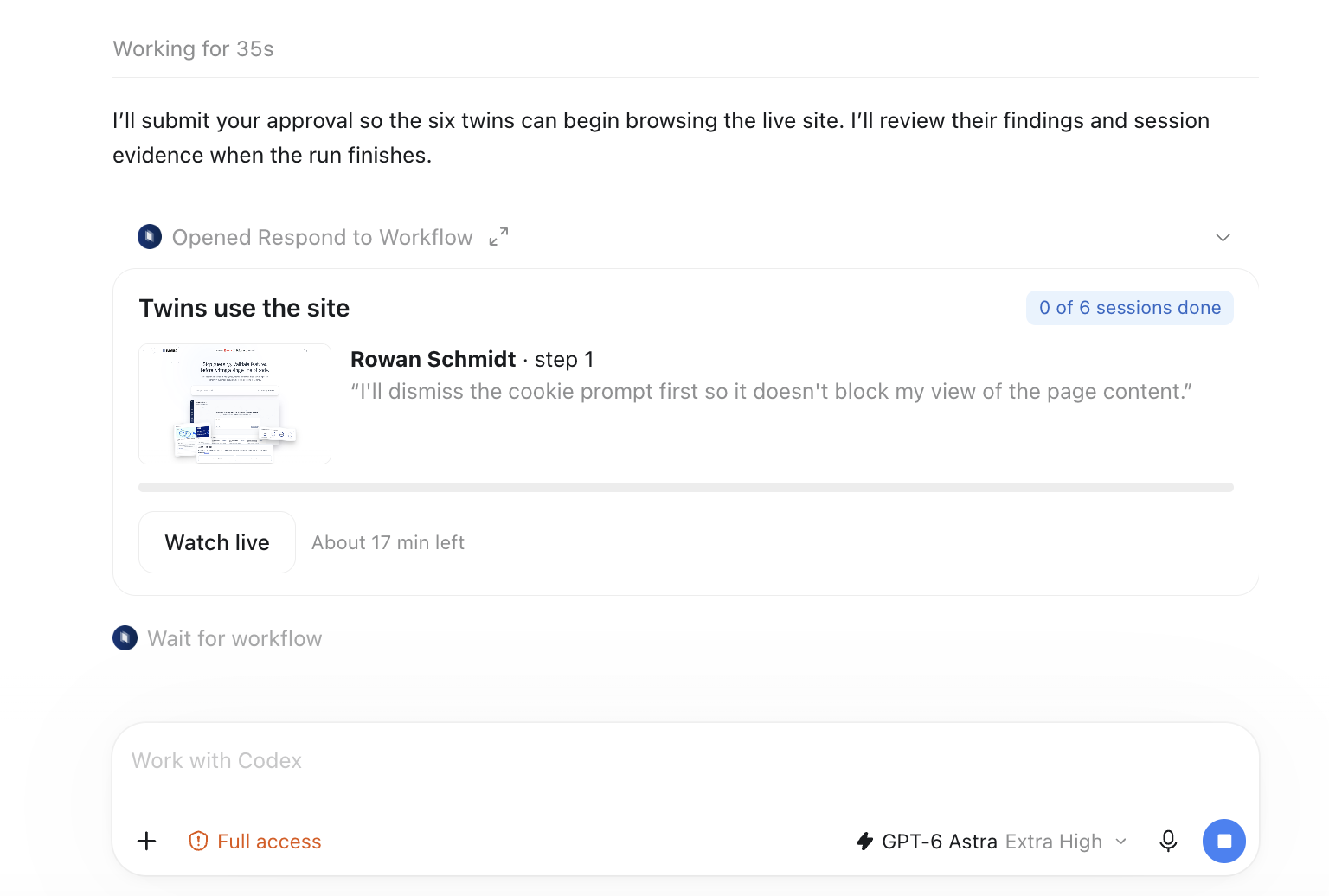
Connect once. Validate as you build.
Connect your assistant.
Open your evidenso profile and choose the setup instructions for Codex, Claude Code or Claude.ai. The profile provides the server URL and the matching configuration for each client.
Sign in and choose the task.
Complete the evidenso sign-in when prompted. Share the prototype, describe the intended audience and tell the assistant what you want to learn. Review the proposed test before starting it.
Watch, review and improve.
Follow the test through the evidenso workflow in your conversation. Review the session evidence and recommendations, then ask your assistant to help implement the changes you choose.
A call with the founder to connect your tools and plan your first test.
Client documentation: Codex MCP · Claude Code MCP
A first task to try.
“Use evidenso to test the collaborator invitation flow in this prototype. Focus on whether someone understands the role and project access before sending an invitation. Show me the evidence behind your recommendations.”
Explore prototype validationBring your next product decision.
evidenso is user validation infrastructure for product teams. It brings together market intelligence, internal customer knowledge and real participant feedback to validate prototypes, designs and feature ideas.
Talk with the founder